Ready to learn?
Take the first step toward achieving your educational goals. Whether you’re preparing for exams or expanding your knowledge, getting started is just a click away. Join us today and unlock your full potential
Utkarsh Classes
Admission office
Above Arora Namkeen
Jalori Gate circle,
Jodhpur (Raj.), 342005
support@utkarsh.com
+91-9116691119, +91-9829213213
Support
Get Started


Learning Resources
Rajasthan Govt Exams
Central Govt Exams
Civil Services Exams
Nursing Exams
School Tuitions
Other State Govt Exams
Agriculture Exams
College Entrance Exams
Miscellaneous Exams

© 2026 Utkarsh Classes & Edutech Pvt. Ltd. All Rights Reserved
Add as a preferred source on Google
Updated: 12 Mar 2026
6 Min Read
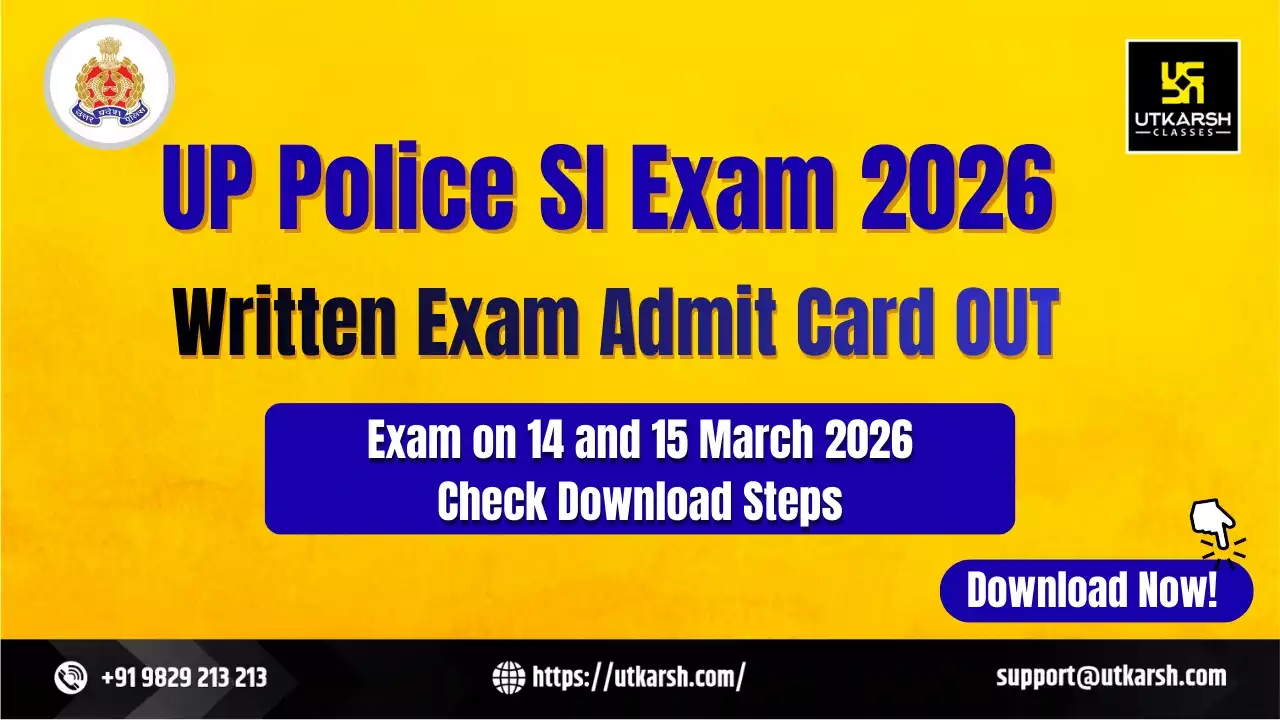
UP Police SI Admit Card 2026 for the UP Police SI Examination 2025 has been released on 11 March 2026 by the Uttar Pradesh Police Recruitment and Promotion Board on its official website. Candidates who have applied for the UP Sub-Inspector Recruitment 2025 can download their UP SI hall ticket from the candidate portal of the UPPRPB by entering their registration number and date of birth.
The admit card contains all important details of the candidates, such as the candidate's name, roll number, exam date, shift time, reporting time, venue address, and instructions for the written exam. Candidates are advised to carefully check all the details mentioned on the Uttar Pradesh Sub-Inspector Exam Admit card 2026 and carry a printed copy of it along with a valid ID proof having your photo on it to the examination centre. Scroll down this page to get the direct download link and step-by-step instructions to access your UP Police SI Admit Card 2026.
As per the UP Police SI Exam Notification 2025, the Offline Written Exam for Sub Inspector in Uttar Pradesh Police will be conducted on 14 and 15 March 2026. Candidates can download their Admit Card and check other updates from the official website of the recruitment board.
The table below provides a brief overview of the important details for the UP Police SI Written Exam 2026.
|
UP Police Written Exam 2026 Details |
|
|
Exam Conducted by |
Uttar Pradesh Police Recruitment and Promotion Board (UPPRPB) |
|
Exam Name |
UPPRPB Sub Inspector Civil Police & Equivalent Posts Direct Recruitment Exam 2025 |
|
Posts |
|
|
Exam Level |
State Level - Uttar Pradesh |
|
UP SI Recruitment 2025 - Written Exam Date |
14 and 15 March 2026 |
|
UP SI Admit Card Release Date 2026 |
11 March 2026 |
|
UP SI Exam Mode |
Offline (Written Test) |
|
UP SI Selection Stages |
|
UP Police Sub-Inspector City Intimation Slip 2026 has been activated by the UPPRPB on 05 March 2026. Candidates can check their Exam City and Exam Date and download the city slip PDF for Uttar Pradesh Police Sub-Inspector exam 2026 by following the steps given below:
Step 1: Visit the official website of the Uttar Pradesh Police Recruitment and Promotion Board (UPPRPB) at uppbpb.gov.in.
Step 2: On the homepage, click on the link related to “UP Police Sub-Inspector Exam City Intimation Slip 2026” available under the latest notifications section.
Step 3: You will be redirected to the candidate login page.
Step 4: Enter your required login credentials, such as Registration Number, Date of Birth, and the security captcha code.
Step 5: Click on the “Sign In” button to proceed.
Step 6: Your UP Police SI Exam City Intimation Slip 2026 will appear on the screen, showing details such as exam city and exam date.
Step 7: Download the city slip PDF and take a printout for reference before the examination.
UP Police SI City Intimation Slip Download Link
UP Police SI Admit Card Release Schedule 2026
UPPRPB will conduct the UP Police SI Exam 2026 on 14 and 15 March 2026 in two shifts, 1st shift from 10:00 AM to 12:00 Noon and 2nd Shift from 03:00 PM to 5:00 PM. The table below shows the UP Police Admit Card 2026 release dates for different exam days. Candidates can check their admit card issue date based on the exam date mentioned on their City Intimation Slip.
|
UP SI Written Exam Date |
Admit Card Release Date |
|
14 March 2026 |
11 March 2026 |
|
15 March 2026 |
12 March 2026 |
Students who are going to appear in the UP Police SI Written Examination 2026 can download their admit card by logging into the candidate portal of the UPPRPB and following the steps given below:
Step 1: Visit the official website of UPPRPB at uppbpb.gov.in.
Step 2: On the homepage, find and click the “UP Police SI Admit Card 2026” link available in the Top Notice section.
Step 3: Click on the admit card link to open the candidate login page.
Step 4: Enter your Registration Number and Date of Birth, along with the Captcha code in the required fields.
Step 5: Click on the Submit button to access your “UP Sub-Inspector Written Exam Admit Card”.
Step 6: After the admit card appears on the screen, check all the details carefully, download it, and take a printout for the examination day.
The download link of the UP Police Sub-Inspector Admit Card 2026 will be activated soon by the board. Once activated, the direct link to download the admit card PDF will be provided here for the convenience of the candidates:
UP Police SI Admit Card 2026 Link
Candidates appearing for the UP Police SI Written Examination 2026 must follow the instructions issued by the Uttar Pradesh Police Recruitment and Promotion Board on the exam day:
To enter the UP Police SI written exam centre, students must carry the following documents:
Before leaving for the examination centre, candidates should carefully check the details mentioned on their admit card, including the exam date, reporting time, exam centre address, and other instructions. It is recommended to reach the venue well before the reporting time to avoid any last-minute problems.
Candidates must follow all instructions given by the invigilators and examination authorities at the centre. Any involvement in misconduct, impersonation, or unfair practices can lead to cancellation of candidature.
Students should not carry prohibited items such as mobile phones, smartwatches, Bluetooth devices, earphones, calculators, written notes, or any other electronic gadgets inside the examination hall.
|
Other Important Links for Exam Preparation |
|
About the author

Sakshi Dawar
SEO Content Writer
Sakshi Dawar is a professional content writer with over 6 years of experience in EdTech, Digital Marketing, and Law. At Utkarsh Classes, she crafts SEO-friendly, aspirant-focused content designed to simplify competitive exam updates and concepts into clear, actionable insights.

UP SI Important Updates
Related Exams
Related Courses
Frequently asked questions